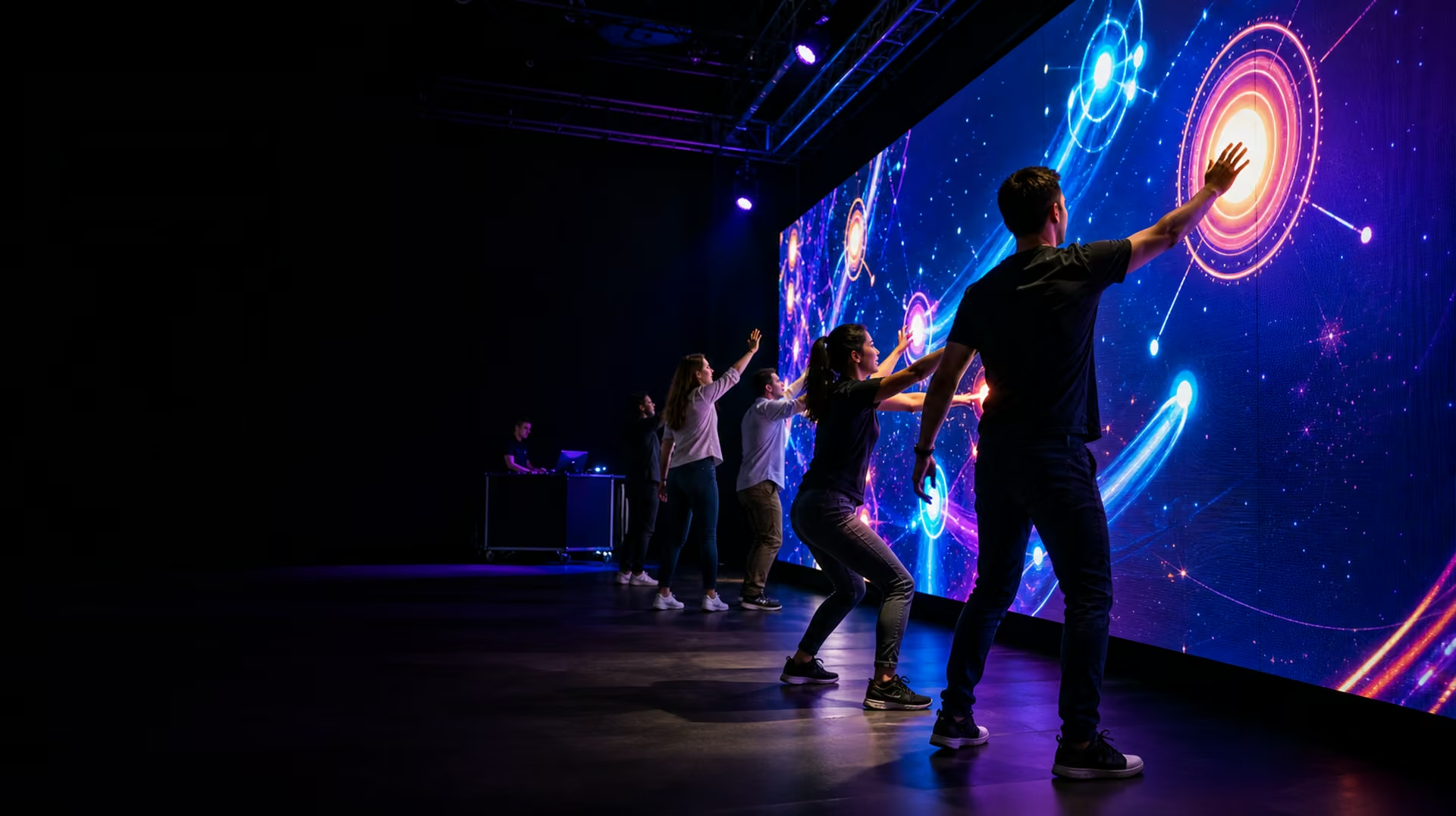
Guests physically playing a responsive game across a large LED wall at a live event.

://live events / physical play / shared screens

Interactive games for live events.

Turn a screen, a room and a crowd into one responsive system. Built to reskin, tour and operate on show day.

explore all eleven ↓

://shared platform

One platform. Eleven games. Endless reskins.

01 audience02 sensor or phone03 show PC04 big screen05 score + control

A Windows show PC drives the main display. Sensors or phones turn physical action into input. QR signup, registration, scoring, leaderboards and remote operator control connect through one event-scoped backend. The platform pattern has already run in production; each new build starts from tested parts instead of a blank page.

://the catalog

Choose the energy.

Fast competition, ambient participation, a whole-room spectacle—or a mix across the event day.

Proven in production1–4 players

Cheer Station

The loudest crowd wins.

A car full of people turns collective noise into a live cheer meter on an outdoor event screen.
://game 01 / options

Cheer Station

what it is

Participants sit inside a parked car and cheer toward a dashboard microphone. Their combined volume raises a live meter on a separate 9-by-16-foot outdoor screen until they hit the target, trigger a payoff or beat the previous team.

Four adults cheering inside a parked car while a separate outdoor screen shows a rising cheer meter.

The complete setup

The car is the play space; the modest outdoor screen lets the queue and surrounding audience follow the score.

Interior view of participants cheering toward a dashboard microphone with the cheer-meter screen visible outside.

Inside the car

A close microphone and calibrated countdown make one obvious action work for every group: get loud together.

Side view of the car, outdoor cheer-meter screen, audience and event operator.

Show-day operation

The operator can reset rounds, adjust thresholds and keep the vehicle, queue and screen in one controlled activation footprint.

where it works
Outdoor brand activations, dealership events, fan zones, festival forecourts, auto shows and sponsor villages with a controlled vehicle lane and clear audience sightline.
who it's made for
Automotive brands, sports and music sponsors, event producers and mixed-age audiences who need a game that reads instantly from a distance.
tech stack
A calibrated audio-analysis service measures the microphone signal as a smoothed loudness envelope. TypeScript game logic manages countdowns, thresholds and team sessions; the show display and operator view receive live state through WebSockets.
hardware
Parked activation vehicle, dashboard or cabin microphone, audio interface, Windows show PC, PA for cues, and a separate outdoor 16:9 screen approximately 9 by 16 feet.
ownership + residency
Designed for full client data ownership, with deployment and data residency matched to the required country, region or internal environment.
build this for an event →
Build-ready1–2 players

Ball Throw Wall

Throw, aim, score. One wall, many games.

Foam-ball impacts become precise game input for penalty kicks, tic-tac-toe, bubble pop and other branded target games.

://game 02 / options

Ball Throw Wall

what it is

Players throw soft balls at a projected or LED game surface. A calibrated tracking plane converts each impact into an exact game coordinate, so familiar rules become physical: claim a square, hit a moving target, complete a path or strike the sponsor mark.

Two players throwing balls to claim squares on an interactive tic-tac-toe wall.

Tic-Tac-Toe

Every impact claims a square. Run it solo against the system or head-to-head with instant round resets.

A guest throwing a foam ball at glowing targets in an interactive Whac-A-Mole wall game.

Whac-A-Mole

Targets surface, hide and accelerate. Ball tracking turns a familiar reaction game into a full-body challenge.

A large ball-throw wall combining simple grid and tabletop game mechanics.

Classic Games Remix

Connect-four, target grids, path games and other simple rules become physical rounds designed for a queue.

A guest hitting a central abstract brand symbol with a foam ball to win a prize.

Hit the Brand

One unmistakable target, one satisfying hit and one prize moment. Ideal for a fast sponsor or product activation.

where it works
Trade-show booths, sports activations, covered fan zones, retail flagships and festival tents with a clear throw line and controlled rebound area.
who it's made for
Sports and entertainment brands, family audiences, competitive pairs and high-throughput queues that benefit from short, replayable rounds.
tech stack
A sensor bridge turns LiDAR hit points into screen coordinates. TypeScript and Phaser render the 2D game in WebGL, while calibration maps, collision rules, scoring, round state and the operator panel stay reusable across every skin.
hardware
LED wall or projection surface, 2D LiDAR scanner, Windows show PC, protected sensor mount, marked throw line, soft foam balls and optional PA.
ownership + residency
Designed for full client data ownership, with deployment and data residency matched to the required country, region or internal environment.
build this for an event →
Build-ready concept1 player

Fly Like a Bird

Spread your arms and fly.

A player leans, steers and flaps through a branded 3D world while everyone around them watches the flight unfold.

://game 03 / options

Fly Like a Bird

what it is

One player steps into a marked zone, spreads their arms and becomes the controller. Leaning banks the bird or aircraft, body height changes altitude and deliberate flaps or poses trigger boosts, pickups and landings.

A guest using an outstretched pose to fly a bird through a panoramic mountain landscape.

Bird Flight

Flap, bank and glide through a branded natural world with the body as the only controller.

A guest leaning with arms spread to steer a small airplane across a panoramic screen.

Pilot the Plane

The same body-tracking system can become a playful flight experience with an aircraft, course and scoring model.

A player using an outstretched pose to steer a small aircraft through glowing course rings.

Course Challenge

Timed rings and collectible routes turn the open flight into a repeatable scored challenge.

where it works
Exhibition halls, mall atriums, museum lobbies, auto shows and brand-experience centres with a six-to-ten-foot clear body-tracking zone.
who it's made for
Travel, mobility, destination and technology brands; museums; and audiences who want a cinematic solo moment that is equally legible to spectators.
tech stack
A Unity or WebGL 3D runtime receives skeleton landmarks from an Orbbec-compatible body-tracking service. Calibrated pose mapping drives the flight model, while session logic, scoring and the operator interface handle resets and accessibility ranges.
hardware
Orbbec depth camera, protected low camera mount, GPU-equipped Windows show PC, large 16:9 display or LED wall, marked play zone and optional floor confidence monitor.
ownership + residency
Designed for full client data ownership, with deployment and data residency matched to the required country, region or internal environment.
build this for an event →
Build-readyNo queue

Reactive Art Wall

The wall responds to you.

An ambient artwork reacts as people approach, then ripples, reveals or bursts under a touch or swipe.

://game 04 / options

Reactive Art Wall

what it is

A digital artwork notices bodies before they touch anything. Passing movement can wake particles, fold fluid, draw luminous trails or reveal a hidden image, allowing several people to contribute without a queue or tutorial.

People moving in front of a reactive wall filled with luminous flowing color.

Fluid Field

Bodies push, fold and wake a continuous field of digital fluid with no queue and no instructions.

Passersby revealing an abstract form through responsive streams of particles.

Particle Reveal

Movement parts a responsive particle field to uncover products, artwork or an evolving branded world.

Guests walking past a projection wall while their silhouettes bend luminous ribbons.

Ribbon Reveal

Ambient movement can draw lines, open negative space and reveal a hidden composition without asking anyone to stop.

where it works
Hotel lobbies, corporate foyers, storefronts, gala dinners, product launches and museum-style installations where the work can remain alive between programmed moments.
who it's made for
Cultural venues, architects, hospitality groups and brands that need an ambient spectacle as well as a participatory one.
tech stack
TouchDesigner and GLSL generate the real-time visual field. OpenCV, depth data or a LiDAR-to-OSC bridge supplies anonymous positions and gestures; a show-control layer schedules modes, sensitivity and branded reveals.
hardware
LED wall or calibrated projection surface, GPU-equipped Windows show PC, 2D LiDAR or depth camera, protected sensor position and optional projector-blend hardware.
ownership + residency
Designed for full client data ownership, with deployment and data residency matched to the required country, region or internal environment.
build this for an event →
Build-ready10–100+ players

Crowd Wave

The whole crowd is the controller.

A crowd leans, jumps or waves together to steer, race or fill a shared meter on the big screen.

://game 05 / options

Crowd Wave

what it is

The audience becomes one large controller. A host asks the room to lean, wave, raise hands or jump; the system combines the movement into one signal that steers, charges or chooses what happens on the main screen.

A standing audience leaning together to steer a craft through an on-screen course.

Crowd Steering

The room leans as one controller to steer, dodge or race through a shared objective.

Hundreds of raised arms feeding a monumental energy form on a live-event screen.

Collective Energy

Waves, jumps and raised hands charge a single shared meter toward a timed payoff.

A seated conference audience leaning together to steer a spacecraft on the stage screen.

Plenary Play

The same mechanic works seated: the room votes with its body and sees the aggregate response immediately.

where it works
Conference plenaries, fan zones, festival stages, halftime shows and party floors where a camera has a clean wide view of the audience.
who it's made for
Producers who need hundreds of people participating at once, presenters who want an instant energy reset, and sponsors who need a shared visual payoff.
tech stack
OpenCV-based motion zones or pose aggregation turn the camera image into anonymous crowd vectors. A TouchDesigner or game-engine scene maps that signal to the shared objective, with host controls for teams, sensitivity and timing.
hardware
One or two wide-coverage cameras, GPU-equipped Windows show PC, main-stage LED wall or projector, host confidence display and event-network connection where required.
ownership + residency
Designed for full client data ownership, with deployment and data residency matched to the required country, region or internal environment.
build this for an event →
Playable platform10–200 players

Phone Trivia Battle

Everyone plays, right from their phone.

Players scan, join and answer on their own phones while questions, live results and rankings command the main screen.

://game 06 / options

Phone Trivia Battle

what it is

Guests scan a code, join the event room and answer on their own phones. The shared screen owns the countdown, answer reveal, momentum and leaderboard, so the game feels collective rather than like ten people staring at separate apps.

Event guests answering on phones while live results fill a shared screen.

The live round

Questions command the room while each phone stays a simple private controller.

Guests scanning a join code with their phones while the event screen shows players arriving.

Scan and join

No app download: a short room code or QR route gets people into the correct event session.

Teams answering trivia on phones while colored result bars appear on a shared screen.

Team reveal

Live answer distributions and ranking reveals create the public drama without exposing private responses.

where it works
Corporate events, gala dinners, trade shows, sports bars, watch parties and fan-community meetups with reliable local or venue Wi-Fi.
who it's made for
Hosts who need ten to hundreds of simultaneous players, content-led sponsors, training teams and audiences already carrying the only controller they need.
tech stack
TypeScript browser clients join event-scoped Socket.IO rooms. A server-authoritative game service handles timers, answers and reconnects; Phaser or Canvas renders the shared display, with a separate host and content-management interface.
hardware
Players’ phones, reliable event network, show PC running a fullscreen browser, main display and a host laptop or tablet. No specialist tracking sensor is required.
ownership + residency
Designed for full client data ownership, with deployment and data residency matched to the required country, region or internal environment.
build this for an event →
Concept / low build risk1–2 players

Reaction Wall

Fastest hands in the building.

Targets appear in rapid sequence and players race the clock—or each other—to hit as many as possible.

://game 07 / options

Reaction Wall

what it is

Targets light in a changing sequence and players race to hit them before they disappear. It can be a solo reflex test, a two-lane sprint or a branded pattern-recognition challenge.

Two players racing to hit illuminated targets on a large reaction wall.

Projected targets

A tracked wall can move targets anywhere and change the rule set between rounds.

A player reaching quickly to hit an illuminated target on a rugged reaction wall.

Solo sprint

A short timed round makes speed and accuracy legible to the player and the queue.

Two players competing on adjacent lanes of an illuminated reaction wall.

Head to head

Parallel lanes create an immediate race while keeping each player’s targets unmistakable.

where it works
Sports activations, gyms, esports events, sponsor villages and trade-show booths with a compact standing footprint.
who it's made for
Competitive audiences, sports and wellness brands, quick-turn queues and events that need a clear leaderboard metric.
tech stack
A TypeScript and Phaser game loop manages target timing, hit validation and scoring. A swappable input adapter accepts LiDAR coordinates or physical button events, while the operator UI controls difficulty, lanes and reset state.
hardware
LED or projection wall with 2D LiDAR, or a rugged illuminated-button panel; Windows show PC, marked player lanes, audio output and optional secondary leaderboard display.
ownership + residency
Designed for full client data ownership, with deployment and data residency matched to the required country, region or internal environment.
build this for an event →
Validated concept1–2 players

Dance Mirror

Match the moves, beat the score.

A camera reads each pose while players match a move sequence and the screen scores their timing and shape.

://game 08 / options

Dance Mirror

what it is

Players copy a sequence of full-body poses and moves shown on the big screen. The system scores when the pose arrives, how closely it matches and whether a pair stays synchronized.

Two guests matching full-body poses in front of a responsive dance screen.

Pose match

Clear silhouettes make the target move readable before the scoring detail arrives.

A participant matching a full-body dance pose shown on a large event screen.

Solo sequence

A single player can follow a short sequence with timing and shape scored separately.

Two friends performing a synchronized pose challenge in front of a responsive screen.

Duet challenge

Duet mode rewards coordination and produces a social moment for the surrounding audience.

where it works
Mall atriums, brand activations, festivals, family events and social-content campaigns with a clear camera view and room for full-body movement.
who it's made for
Music, fashion, youth and entertainment brands; family audiences; and producers who want a visible, shareable performance moment.
tech stack
A Unity/C# or browser runtime receives skeleton landmarks from an Orbbec body-tracking service or camera pose model. Temporal pose scoring separates timing from shape, while the operator controls calibration, move sets and accessibility tolerance.
hardware
Orbbec depth camera for premium installs or a validated RGB camera for lighter builds, GPU-equipped show PC, large display, marked play zone and PA.
ownership + residency
Designed for full client data ownership, with deployment and data residency matched to the required country, region or internal environment.
build this for an event →
Concept1 player

Digital Prize Crane

Play to win, win to post.

A physical crane or dispenser connects to signup, play credits, live prize inventory and a big-screen win feed.

://game 09 / options

Digital Prize Crane

what it is

A familiar physical prize game is connected to registration, play credits, live inventory and the event screen. Guests still guide the claw or trigger the dispenser, but the campaign controls eligibility, rewards and operator recovery.

A guest operating a digital prize crane beside a large live win display.

Connected control

The physical play remains familiar while the campaign system manages who can play and what happens next.

A guest controlling a physical prize crane while a nearby screen shows the claw view.

Live crane view

A secondary view makes the mechanism and remaining play time legible to the queue.

A winner receives a prize while an operator checks inventory on a tablet.

Win and fulfil

Prize delivery, inventory and campaign follow-up are treated as one operating flow.

where it works
Retail promotions, product launches, trade shows and lead-capture campaigns with staff access to replenish and service the machine.
who it's made for
Consumer brands and exhibitors that need a tangible reward, measurable participation and a clear queue-driving object.
tech stack
A Node.js/TypeScript control bridge converts the machine’s serial, relay or vendor API into game events. WebSockets update the player, public display and operator tools; the campaign service handles credits, inventory and fulfilment logs.
hardware
Commercial crane or prize dispenser, supported control interface, player touchscreen or buttons, show PC, public display, operator tablet and secure network connection where campaign data is captured.
ownership + residency
Designed for full client data ownership, with deployment and data residency matched to the required country, region or internal environment.
build this for an event →
Concept / low build risk4–20 players

Collaborative Canvas

Everyone adds a stroke.

Many people draw into one giant shared canvas, leaving the event with an artwork and a time-lapse of how it grew.

://game 10 / options

Collaborative Canvas

what it is

Guests join from their phones and add strokes, stamps or small contributions to one giant shared canvas. The public screen shows the artwork evolving live, then produces a final image and time-lapse.

Event guests adding marks from phones to one giant shared artwork.

Shared artwork

Every participant contributes a small action to one highly visible composition.

A group drawing on phones while their strokes appear together on a large shared screen.

Draw together

Phones provide private, familiar tools while the artwork remains public and social.

Contributors watching a time-lapse of their shared digital artwork with a facilitator.

Playback and handoff

The finished asset and its time-lapse turn participation into a deliverable after the event.

where it works
Conference lobbies, museums, community festivals, brand launches and family events where participation can stay open for minutes or hours.
who it's made for
Community builders, cultural organizations and brands that want every guest to leave a visible trace without forming a single-player queue.
tech stack
Pointer Events and Canvas/WebGL power the phone drawing surface. Socket.IO rooms synchronize contributions with the public renderer; a moderation queue, palette rules and event database protect the shared composition and preserve the time-lapse.
hardware
Players’ phones, event Wi-Fi, browser-equipped show PC, LED wall or projection surface and an operator laptop or tablet for moderation and export.
ownership + residency
Designed for full client data ownership, with deployment and data residency matched to the required country, region or internal environment.
build this for an event →
Original concept / Stage 02–4 players

Mega Conflict

Plan the move. Face the conflict. Pass the turn.

An original turn-based hex strategy concept designed to grow from one shared screen into online rooms and full personal battlefield clients.

://game 11 / options

Mega Conflict

what it is

An original turn-based hex strategy concept where friends command distinct factions across a shared battlefield, moving one turn at a time and making opposing decisions when units enter conflict. Development begins with a deterministic two-player rules foundation and a shared-screen controller pilot, then expands carefully toward four players, online rooms, personal browser views and a possible Discord Activity. The three images below are concept illustrations, not gameplay screenshots or final production art.

Four friends at controller stations facing a large screen with an original luminous hex-tile strategy battlefield.

Shared screen + controllers

The first planned version keeps everyone around one battlefield: two players and two controllers first, then three and four after the show-day setup is proven.

Friends using phones and tablets to inspect an original hex strategy battlefield while a shared screen shows the overall conflict.

Personal battlefields

A later public-space version lets each phone or tablet pan, pinch, inspect and command a complete battlefield view while the big screen frames the shared story.

Four friends in separate homes playing the same original browser-based hex strategy match.

Online with friends

Hosted browser rooms can bring distant friends into the same turn-based match, with invitation links first and a possible Discord Activity after the web game is proven.

where it works
The first pilot is designed for one large television, LED wall or projector in a social room or supervised public installation. Later versions extend the same rules to invitation-based browser rooms and synchronized phones or tablets.
who it's made for
Friends who enjoy readable tactical planning, venues looking for a slower social counterpoint to reflex games, and groups who want a strategy match that spectators can understand from across the room.
tech stack
The planned foundation separates deterministic TypeScript rules, versioned commands and replayable state from rendering, controller input and network transport. A browser client can host the first local authority; later services can reuse the same contract for rooms, reconnects and private player views.
hardware
Stage 2A targets one declared Windows show PC, modern browser, large 16:9 display and exactly two tested controllers. Three- and four-controller support, player phones or tablets, and venue-network requirements follow separate acceptance checks.
ownership + residency
Designed for full client data ownership, with deployment and data residency matched to the required country, region or internal environment.
build this for an event →

://game software / client-owned data / integrated hardware

One experience, specified end to end.

data ownership + residency

Your data does not have to leave with the vendor.

Every system can be designed for full data ownership, client-controlled credentials and compliance requirements. Data residency can be planned for a specific country or region, or for internal systems where policy requires the information to remain inside your own environment.

physical systems + oversight

The software and the room follow the same specification.

With 30 years in technical events and installations, FrameShift can design and specify the required hardware, source qualified vendors and oversee the selected installer through delivery and acceptance. We do not sell the hardware and we do not install it ourselves; we make sure the people who do deliver it correctly to the FrameShift specification.

://from first sketch to show control

Build an event people play.

Start with the audience, the venue and the result the experience has to create. We will shape the right game around them.

book a discovery call →